
DASBridge · The command deck
Every job, every customer, every quote — one screen.
DASBridge is the spine of DMOS. It threads quote → job → traveller → defects → delivery note → invoice → payment into a single connected view. The phone rings — you find the answer in five seconds, not five minutes.
The daily home for 5–30 employee UK precision shops · Proven in a real £2M CNC operation · UK-native: GBP · Xero · ISO 9001
You spend half your day answering "where's that job?"
You've got the customer on the phone. They want to know if their job is on track. You put them on hold, walk to the shop, find the foreman, read the paper traveller, hope the operator wrote his timestamps, walk back, pick up the phone. Five minutes gone — multiplied by every time that phone rings. That's before chasing which jobs are overdue, which are profitable, or finding last year's NCR for an audit.
See it in action
Watch DASBridge run the day
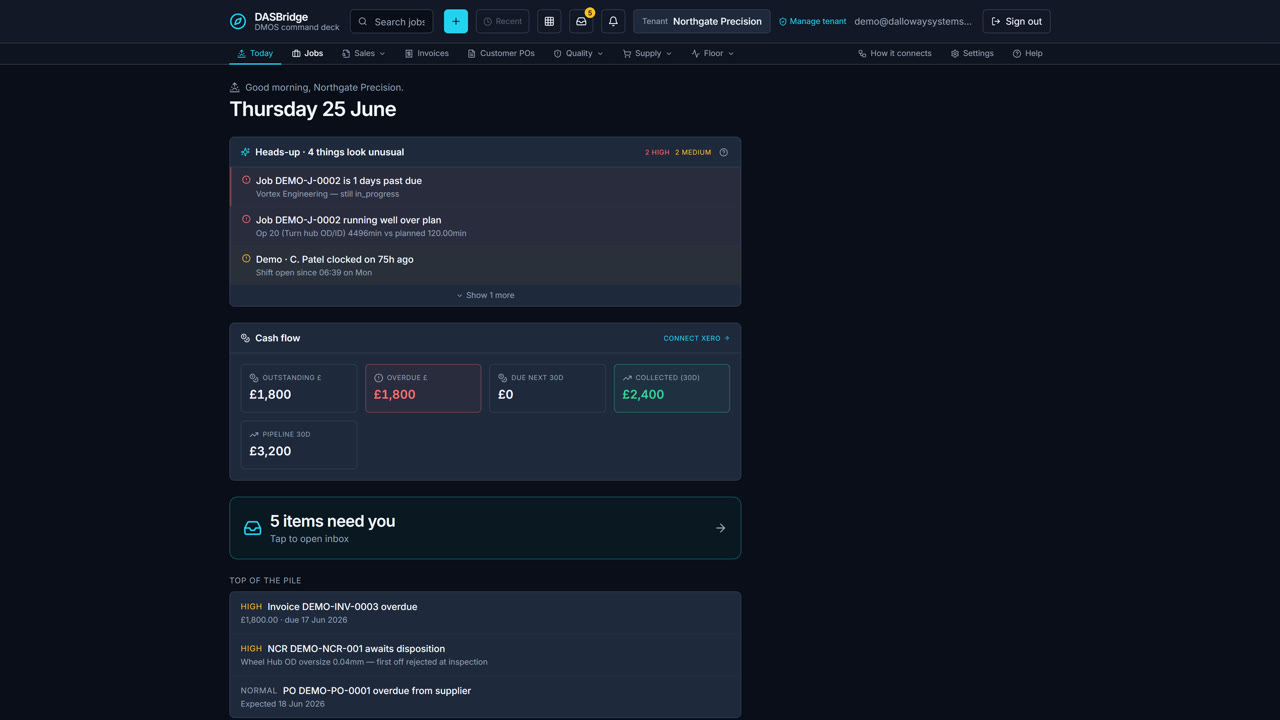
Three minutes inside the command deck — the morning brief, every live job, one screen per job with live costing, the week’s schedule, and the flow map that ties it all together.
 2:47
2:47
What it does
One screen per job. Every record connected. Audit log on everything.
DASBridge gives every job a single connected view — and quietly records every change so five years of ISO 9001 evidence builds itself.
Lifecycle at a glance
A 7-step stepper at the top of every job — RFQ → Quote → Order Ack → Production → Shipped → Invoiced → Paid. One click jumps to the related record. Coloured ticks show what's done; open NCRs sit on a quiet pill that doesn't shout when the job is closed.
Live costing & margin
Quoted price, estimated cost, actual labour from the shift clocks, actual materials from consumption, margin to the penny. The first time you see "we're 14% over on labour" mid-flight, you stop guessing.
Operations & materials inline
Edit routing in place. Set-up minutes per op. A material BOM with current stock and on-order quantities. A documents panel for drawings, certs and PO copies — all on the one job screen.
Audit log built in
Every status change, every edit, every cancellation reason — captured as per-record audit history. Five years of ISO 9001 evidence with no extra effort from you.
Quick-create & universal search
⌘K opens a search palette across customers, parts, jobs, suppliers, invoices and NCRs. The + button creates a job, RFQ, defect or supplier in two clicks from anywhere in the app.
Cross-app integration
Ship a job and a delivery note plus draft invoice are created automatically; issued invoices push to Xero. A quote won in DASCRM creates a placeholder job here. A defect raised on the floor flows through to DAS QMS with full lineage.
The patchwork you can throw away.
Paper job folders. Excel quote sheets emailed back and forth. "Where's that job?" messages to the foreman. Re-keying invoices into Sage or Xero. The monthly margin spreadsheet built by hand. Audit prep that ruins three days a quarter. The yellow-pad defects book no-one ever reads. DASBridge replaces the lot with one connected system.
How it works
Tuesday morning, 8:30 AM.
A real morning on the command deck — five jobs touched in ten minutes, not a single spreadsheet opened.
The Today screen briefs you
DMOS greets you by name: yesterday wrapped with three shipments, today has two jobs due, one's at risk because materials haven't arrived. You click into the at-risk job, see the operator's four hours done with two to go, and message the supplier. Two minutes.
The phone rings — you answer instantly
A customer asks about their job. You type their code, hit Enter, and the lifecycle says shipped and paid. "Yes, you paid us a week ago — everything's clear your end." Six seconds, no walk to the floor.
New work flows straight in
A defect from the floor becomes an NCR with job, part, machine and operator pre-filled. A new quote request becomes a job — add the customer and part inline without leaving the form. Everything captured, nothing re-keyed.
Book a demo
See DASBridge running on a real shop floor.
A twenty-minute video call. We log into our own factory's instance and walk a real job from RFQ through to invoice. No slides, no hype — just the system doing the work.